Updating your profile picture
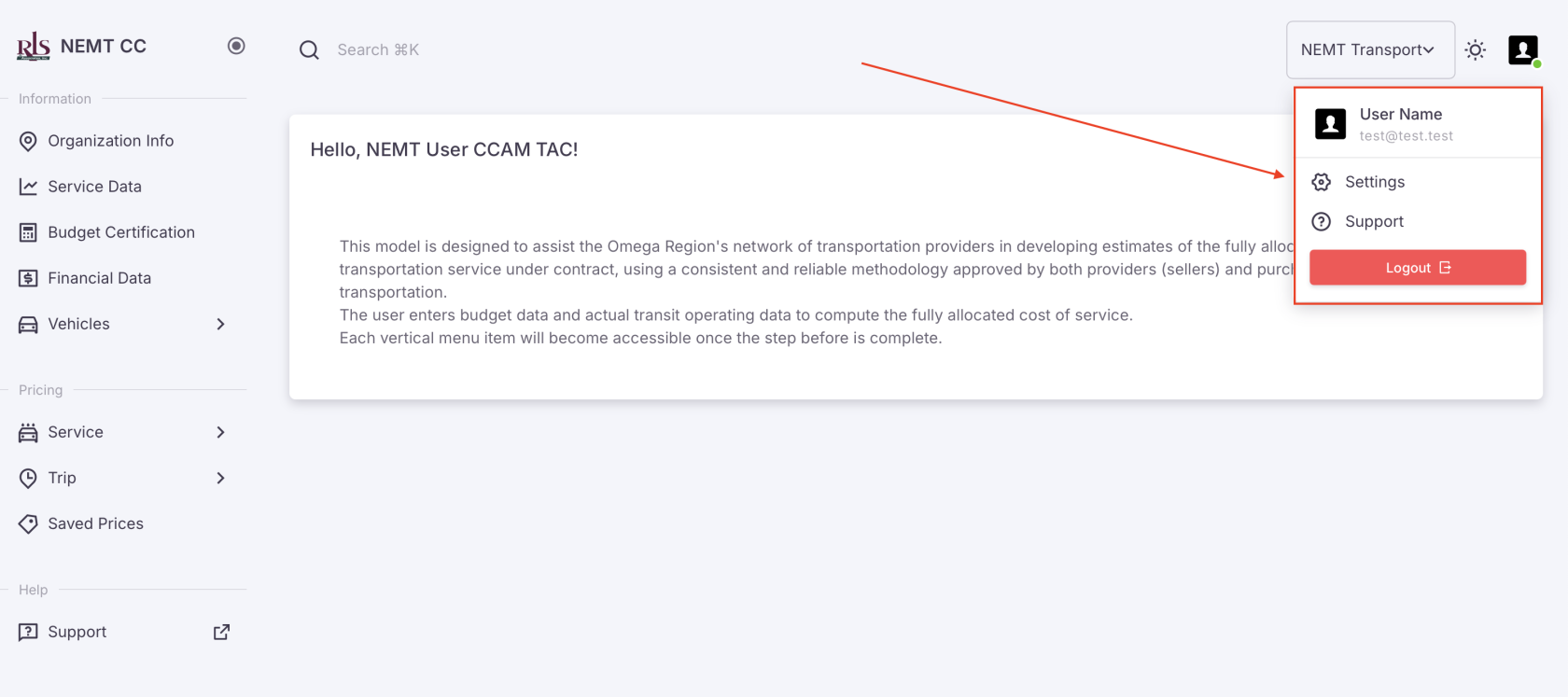
Updating your profile picture can be done from the settings menu link housed in the User Profile photo. Currently, allowed file types are; JPG, JPEG or PNG. Max size of 100 KB
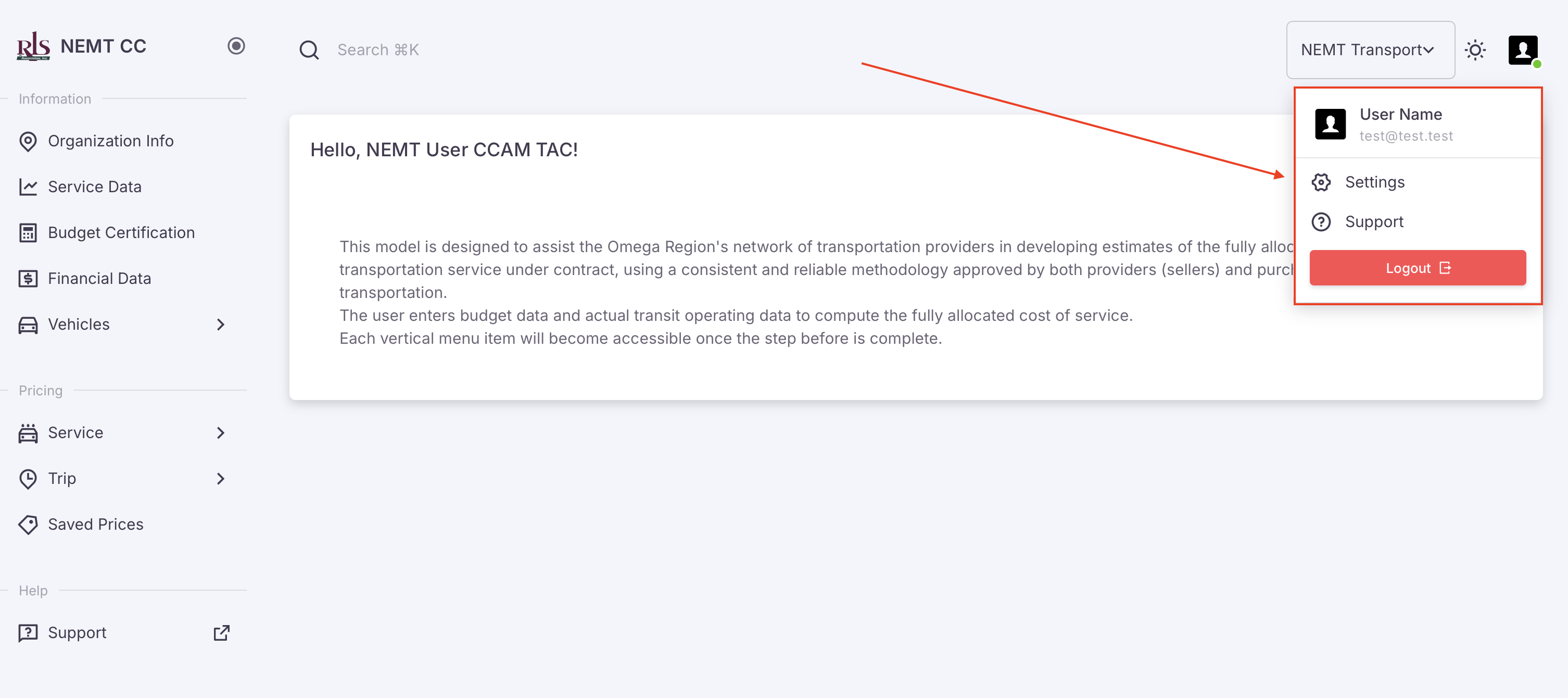
- Select Settings in the profile menu (image shown below)
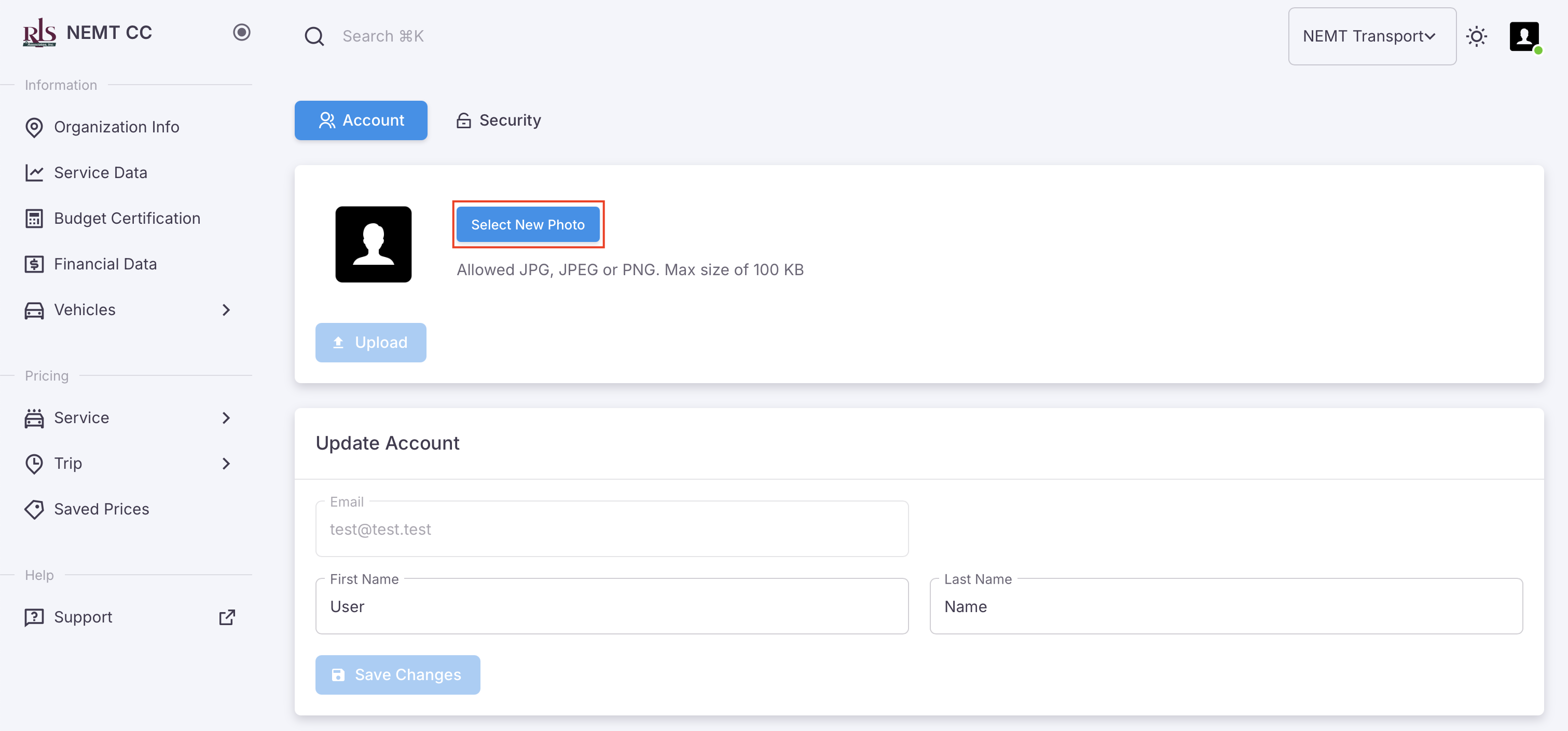
- You will be brought to your user management page, select the option, 'Select New Photo'
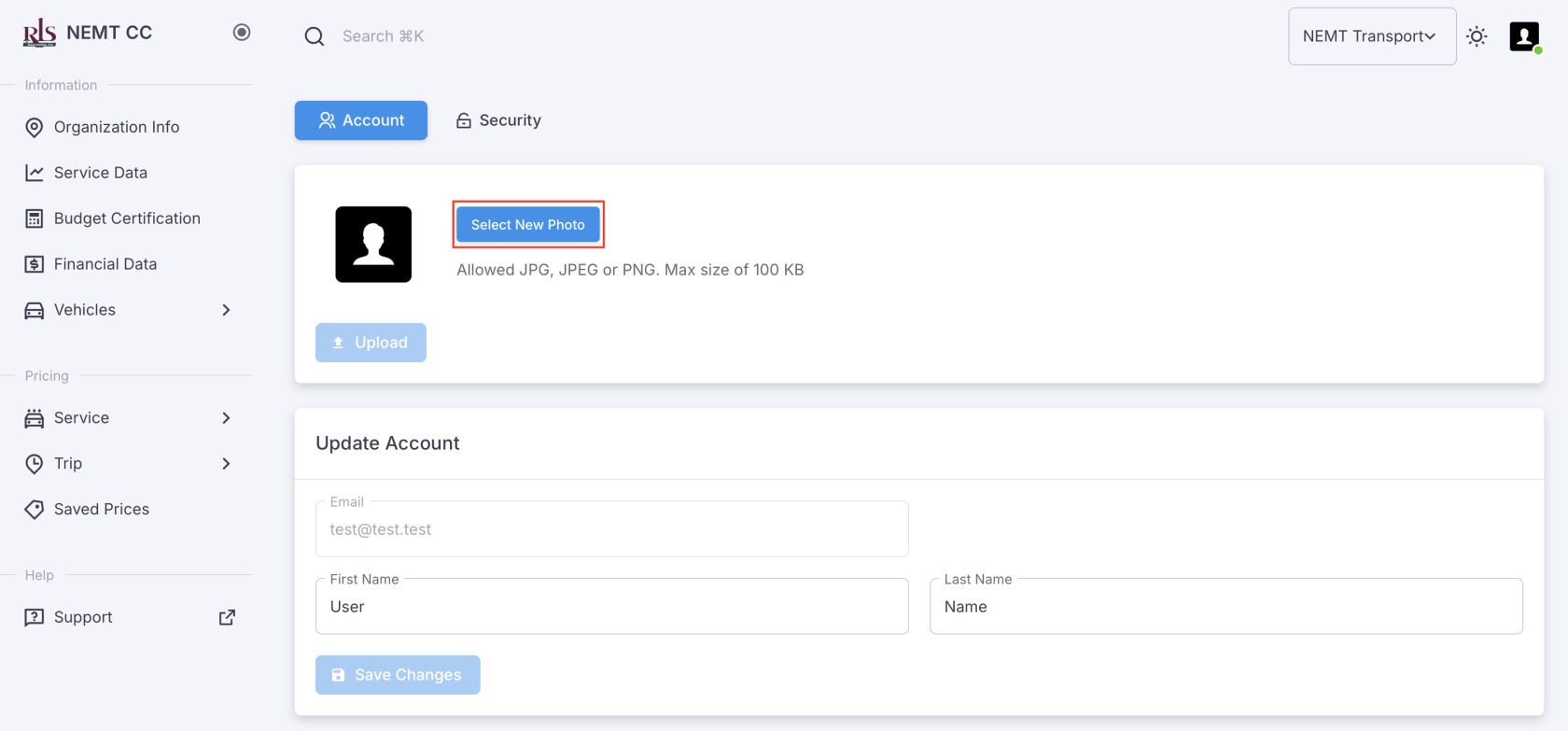
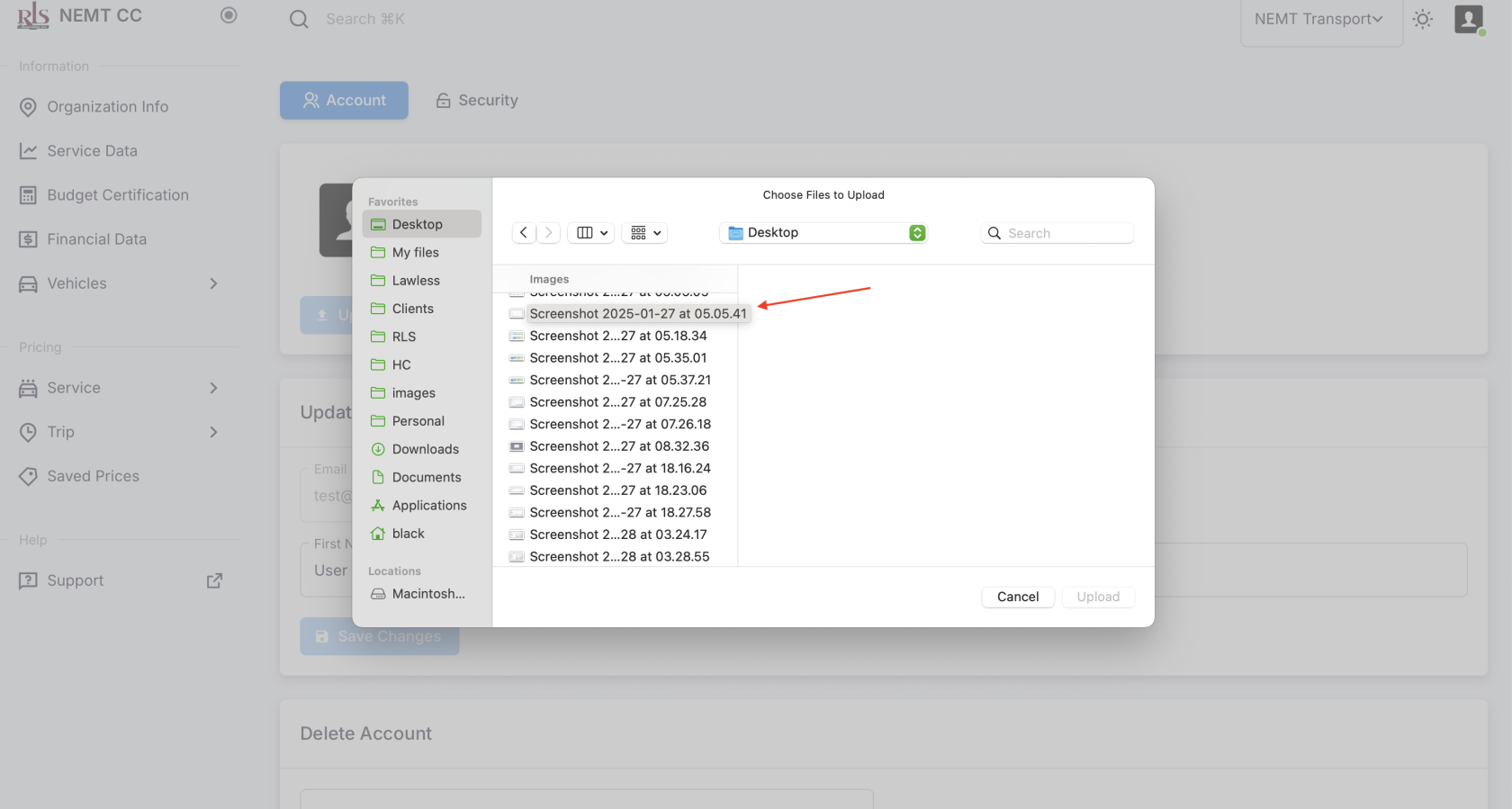
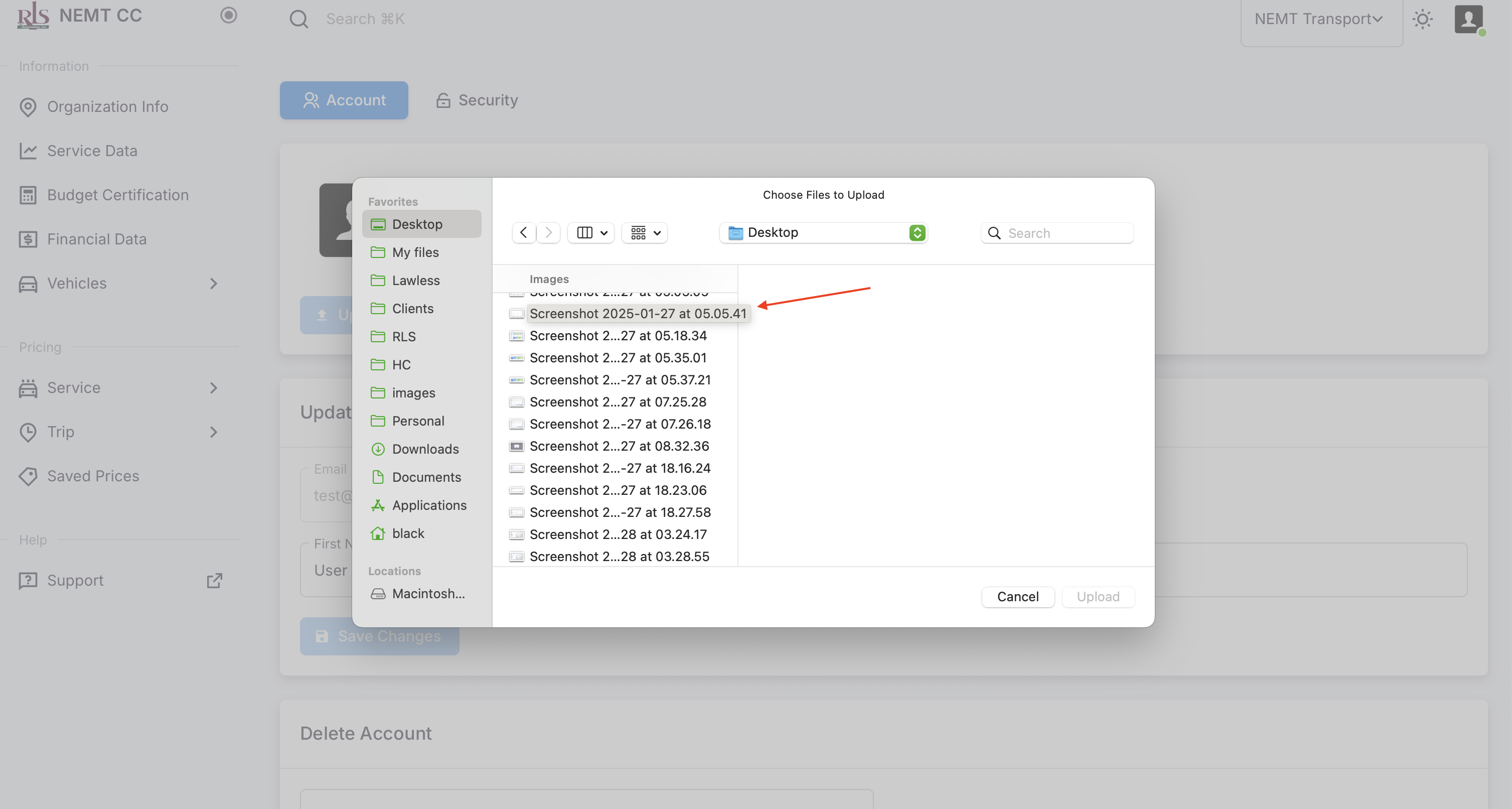
- A window on your computer will open prompting you to upload an image from your device. Make sure the image is under 100kb in size then select, 'Upload'