Updating your password
To update your password on the NEMT CC App please follow these steps;
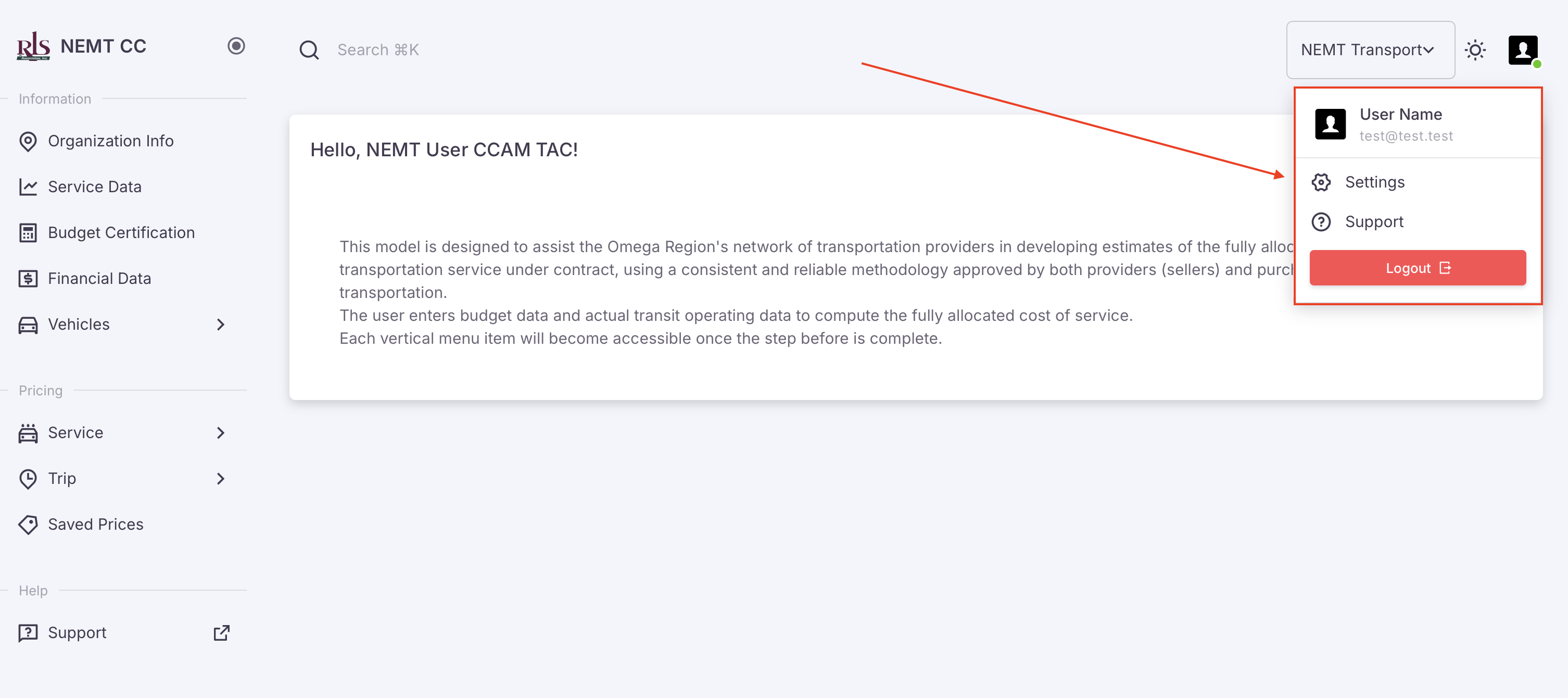
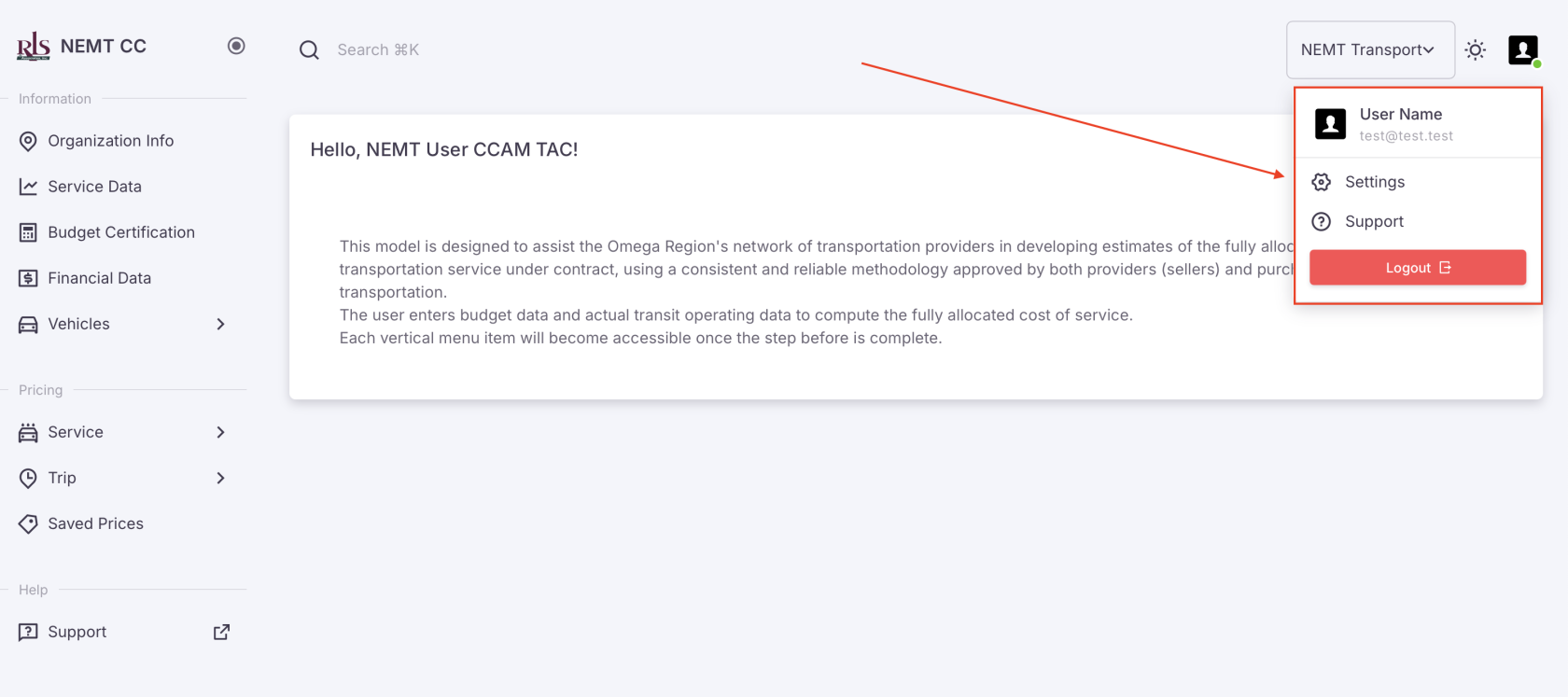
- In the top right corner of the Application is your user icon. Click your profile icon and in the sub-menu, select settings
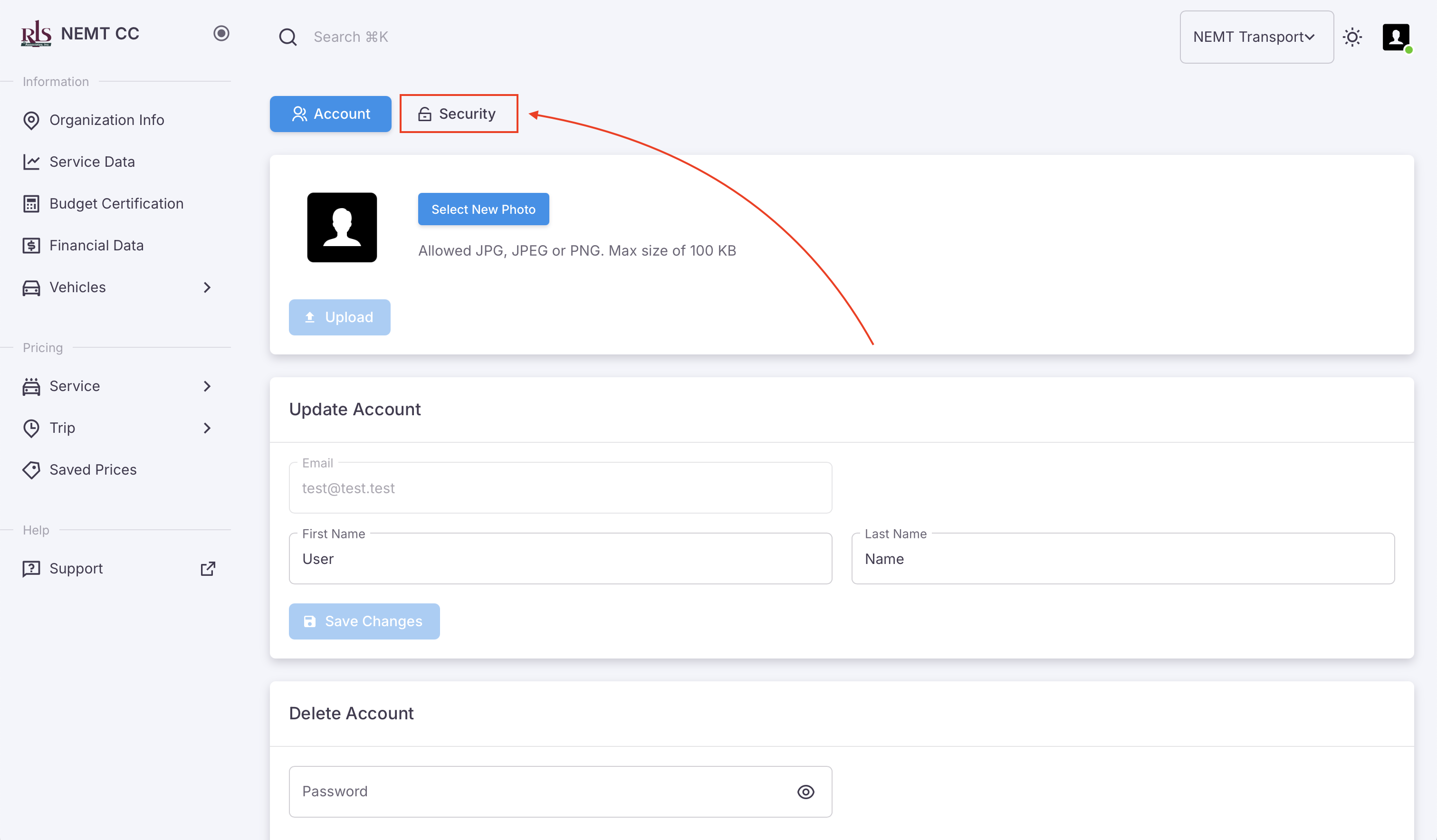
- You will be brought to your user profile page which has an additional tab in the top labeled 'Security', select this tab

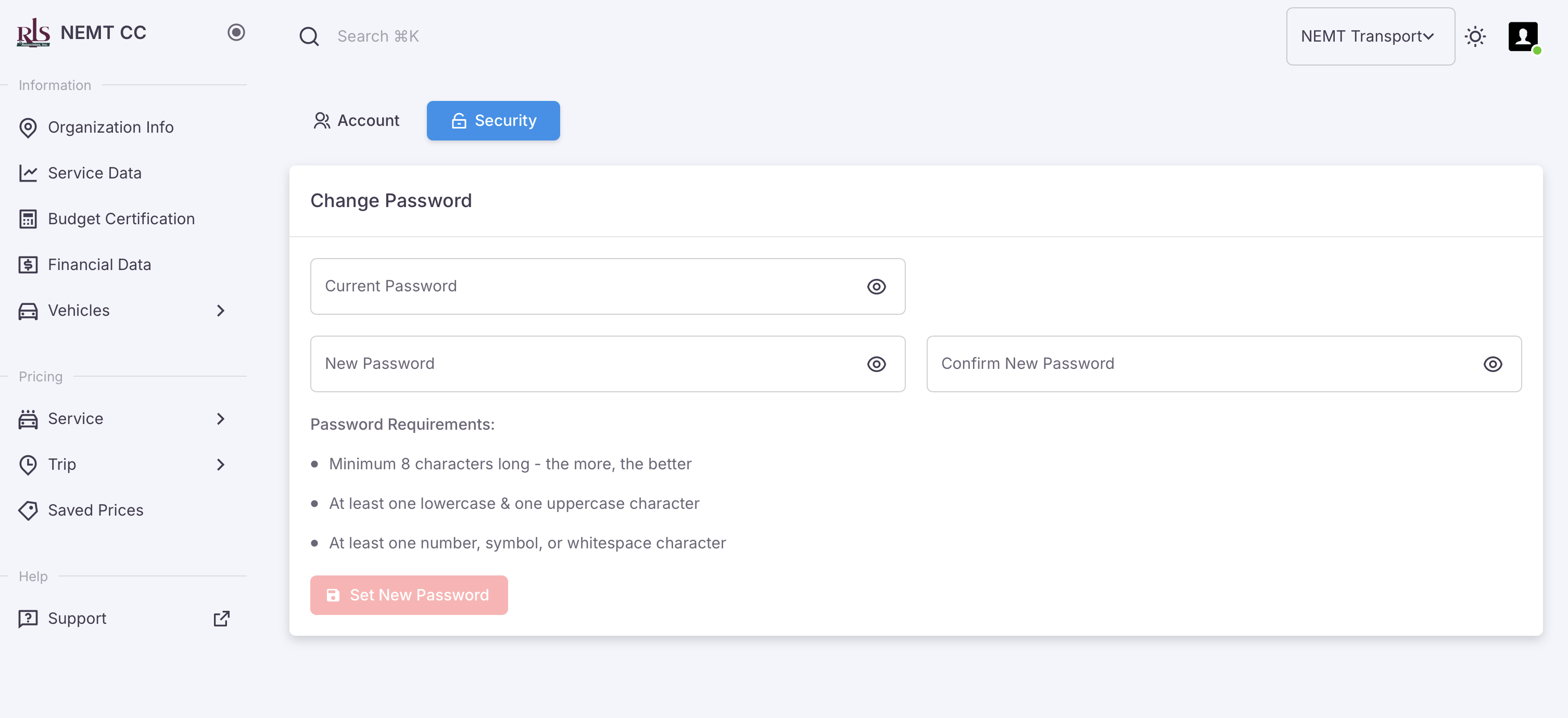
- From this tab, you can manage your password by entering your old password then repeating your new password. Your password must be a minimum of 8 characters long, one lowercase and one uppercase character and at least one number, symbol or whitespace character