Trip Pricing
This part of the cost calculator is intended to help you accurately price the cost of a trip for a medicare rider using a least path calculation. In the current release trip pricing is enabled for a single operator running a single trip. In the next release recurring and multi-passenger trips will be available.
To access Trip Pricing, select Single Trip in the navigation menu as shown in the image below.
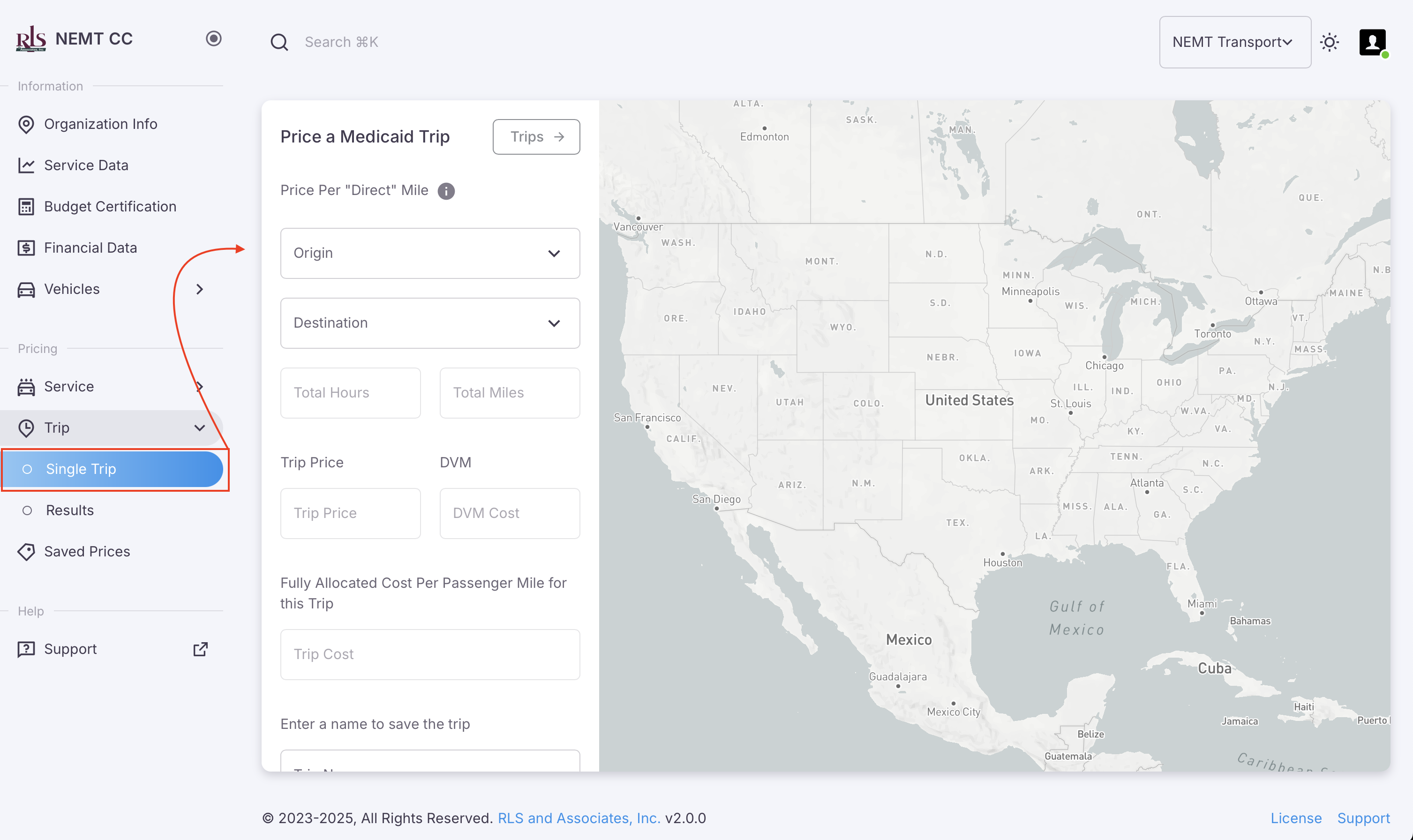 Single Trip Costing accessed from he navigation menu
Costing a trip
To run a Trip Cost on the NEMT CC app one needs to only fill in three pieces of information;
- Trip Origin
- Trip Destination
- Trip Name
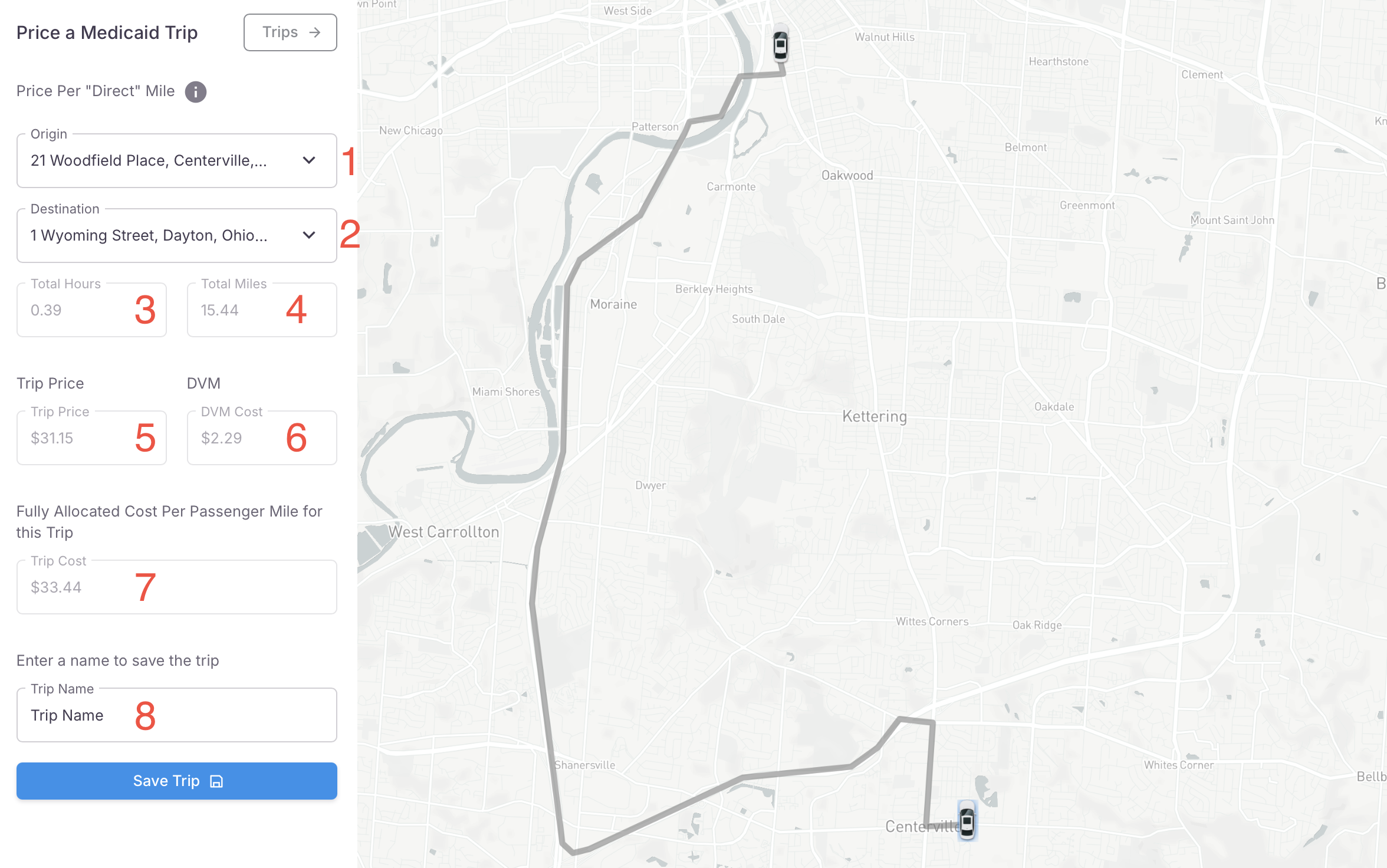
In the image shown below, the various input fields and data generated by the application are explained in more detail.
- Origin of Trip
- Destination of the Trip
- Total Hours of the Trip - field will auto-populate once the Origin an Destination have been input
- Total Miles of the Trip - field will auto-populate once the Origin an Destination have been input
- Trip Price - field will auto-populate once the Origin an Destination have been input
- Direct Vehicle Mile Cost - field will auto-populate once the Origin an Destination have been input
- Fully Allocated Cost of the Trip - field will auto-populate once the Origin an Destination have been input
- Unique Name of this trip
- Save the Trip