
Service Data
The NEMT CC application has the feature in which an operator can enter general service information about the transportation service which allows for a quick and simple costing tool to be put in place.
Entering your service data of the following information will grant the operator of the NEMT CC app the ability to run quick costing reports based not he data from the previous year.
To access the service costing tool you will need to enter the following information;
- Total Vehicle Service Hours from Previous Year
- Total Vehicle Miles from Previous Year
- Total Number One-way Passenger Trips from Previous Year
- Total Number of Passenger-Miles
- Maximum number of vehicles in service at any one time
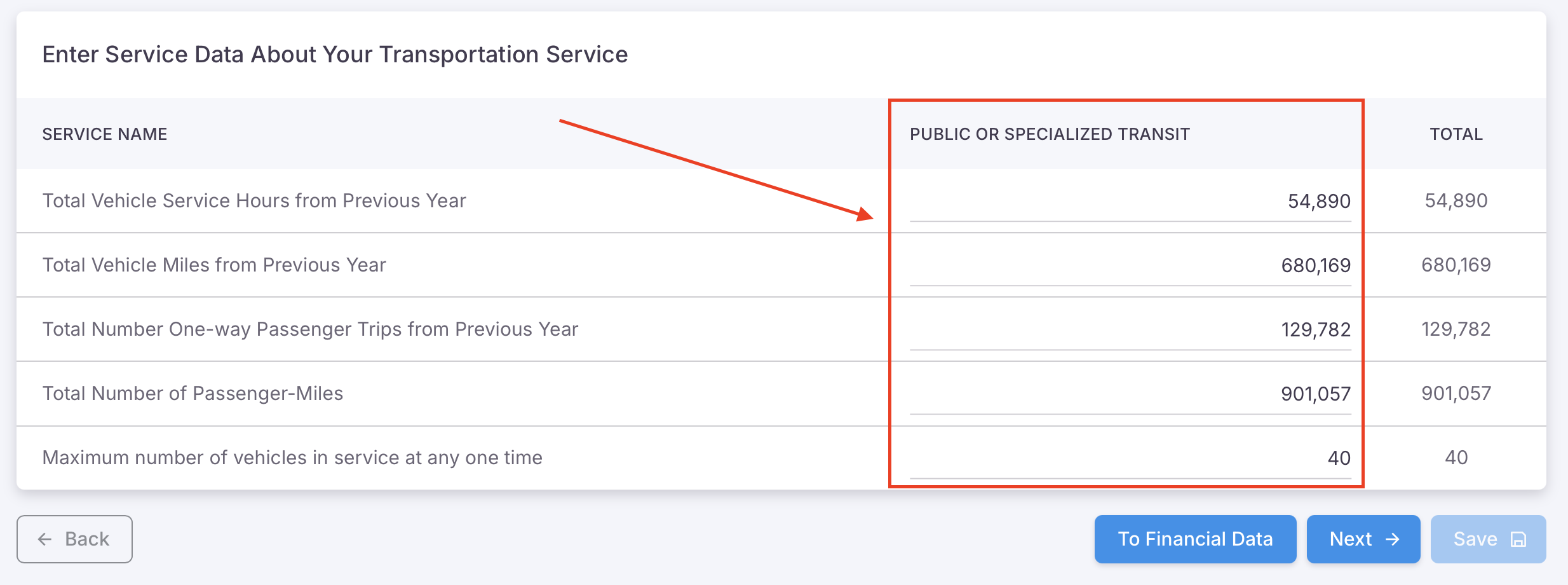 Selecting a Single Mode of operation enables a single column of data to input
In the example shown in the image below, when multiple modes of operation have been selected in the Organization Info setup process, the operator will have the ability to set multiple modes of transportation service data. The example shows two modes of transportation that have been selected however it is important to note that there is no limit to the modes of operation that can be selected, and as such, if four modes have been selected, there will be four columns of information that will need to be filled out.
The data entered here is unique to that mode of transportation and will affect ONLY that mode of service being costed in the Services pricing section of the application.
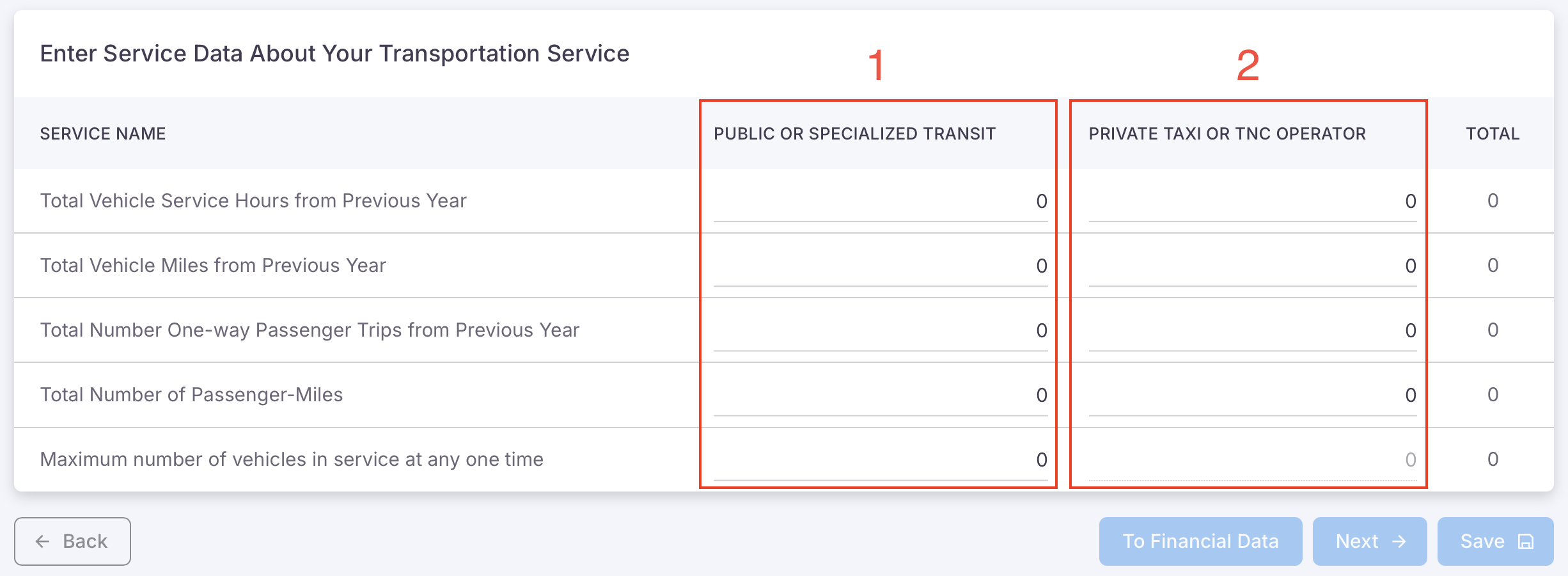 One or all 'Modes' can be selected during organization setup process