Service Pricing
Based on the data entered in the Service Data page which is the previous year's service information you can calculate the fully allocated cost of a 'Service'.
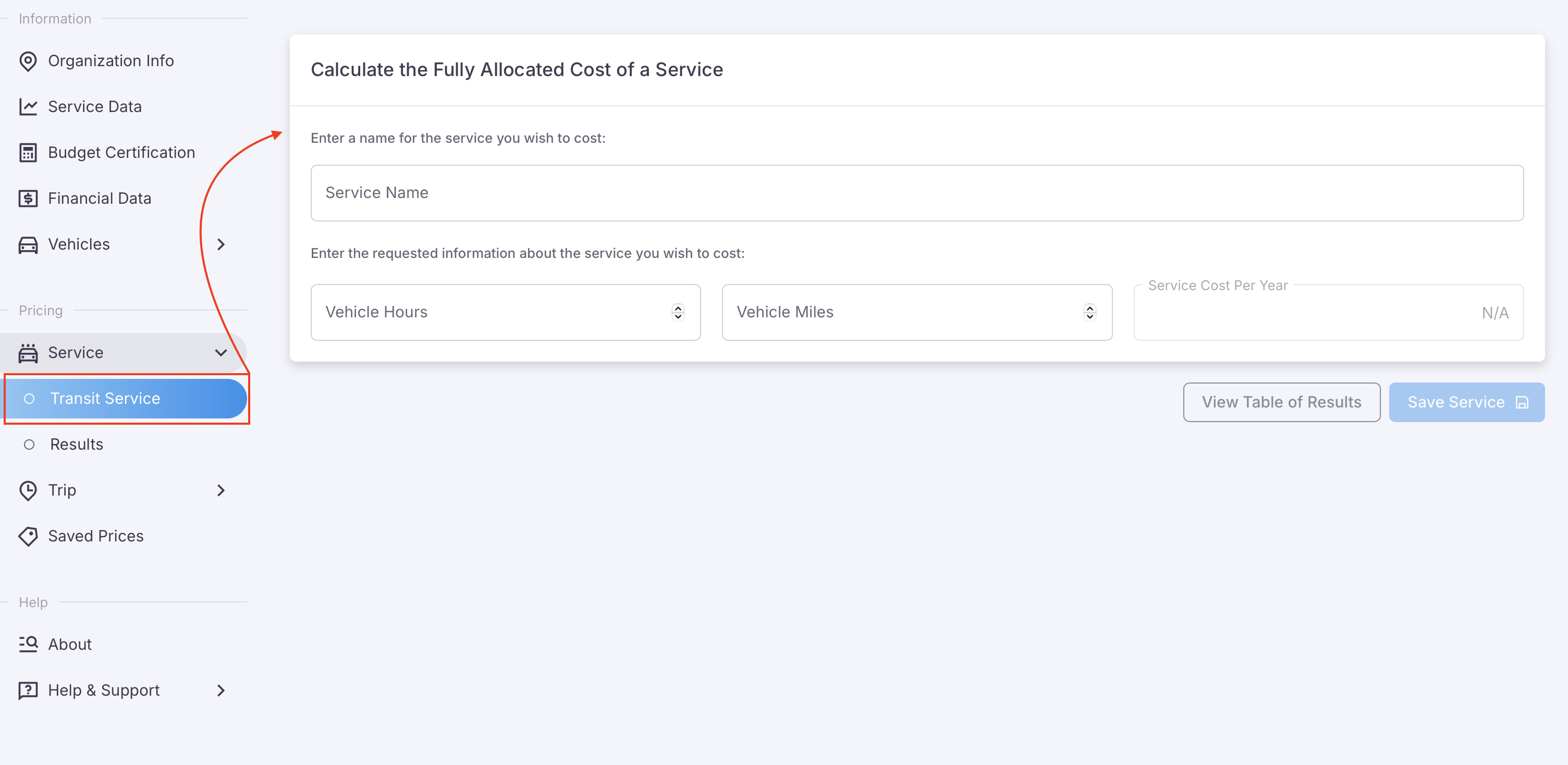
By entering three fields of information you can run the fully allocated cost of that service, see image below. The three fields of data needed are;
- Service Name: The name for the record of the report
- Vehicle Hours: Total hours of use for this service
- Vehicle Miles: The total distance of miles traveled for the service
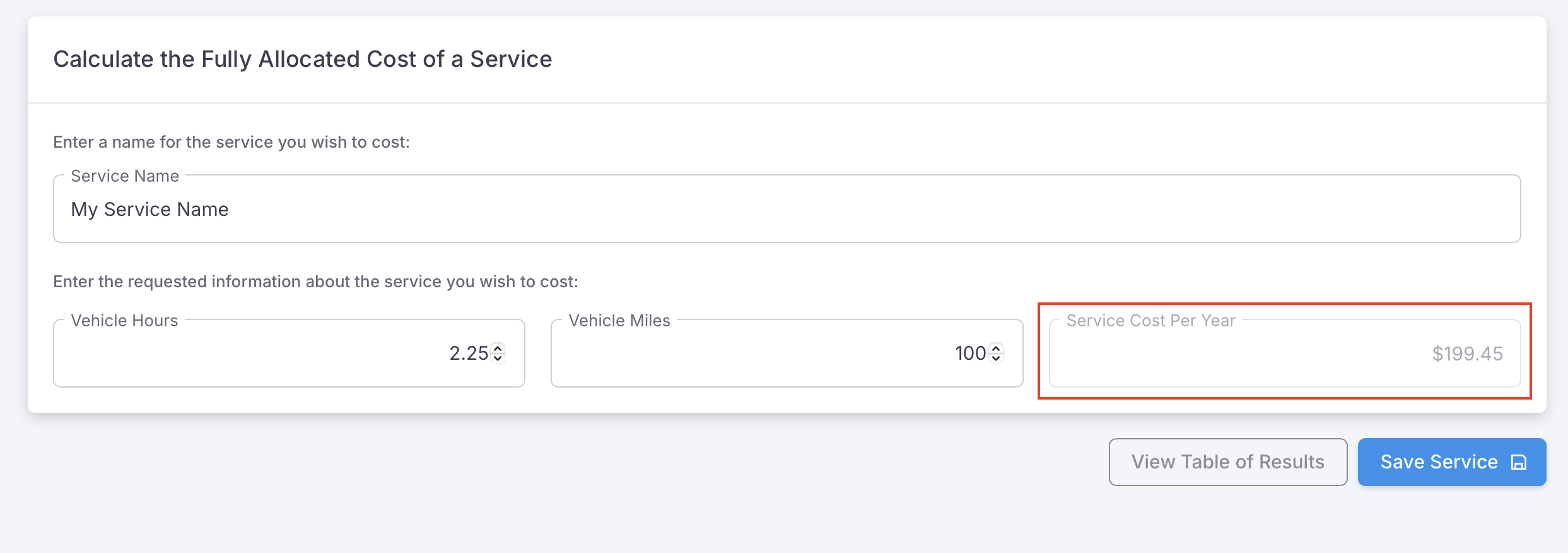
As shown in the image below, by entering these three data points, the Service Cost Per Year will auto-populate.
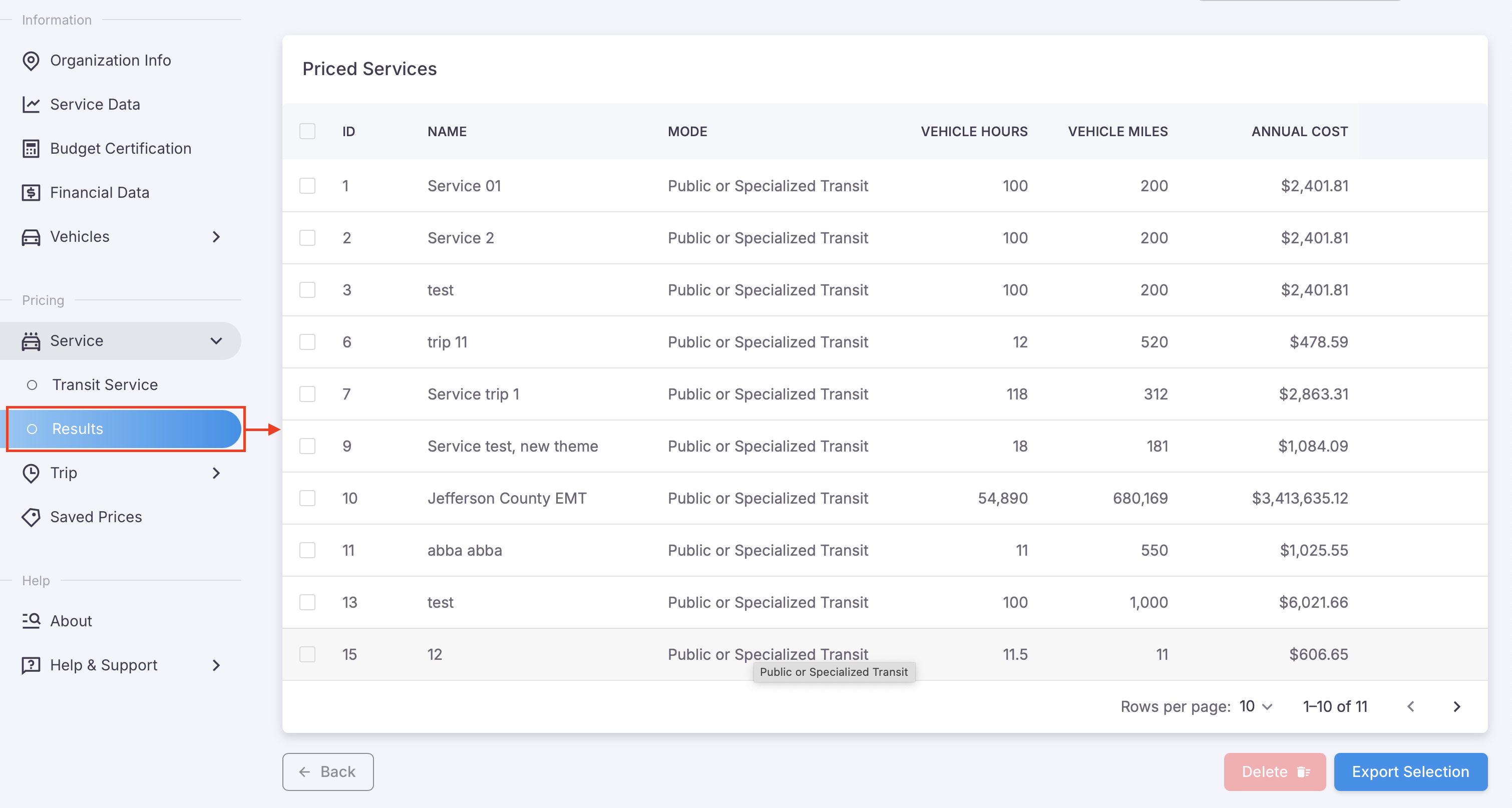
Click 'Save Service' to save this record to the database which can be viewed at any time by clicking the button, 'View Table of Results'. Alternatively, you can access previous saved records through the navigation menu as shown in the image below.