Filtering Trip Data & Exporting
Overview
NOTE: The Events management section is currently in active development and is a ALPHA release.
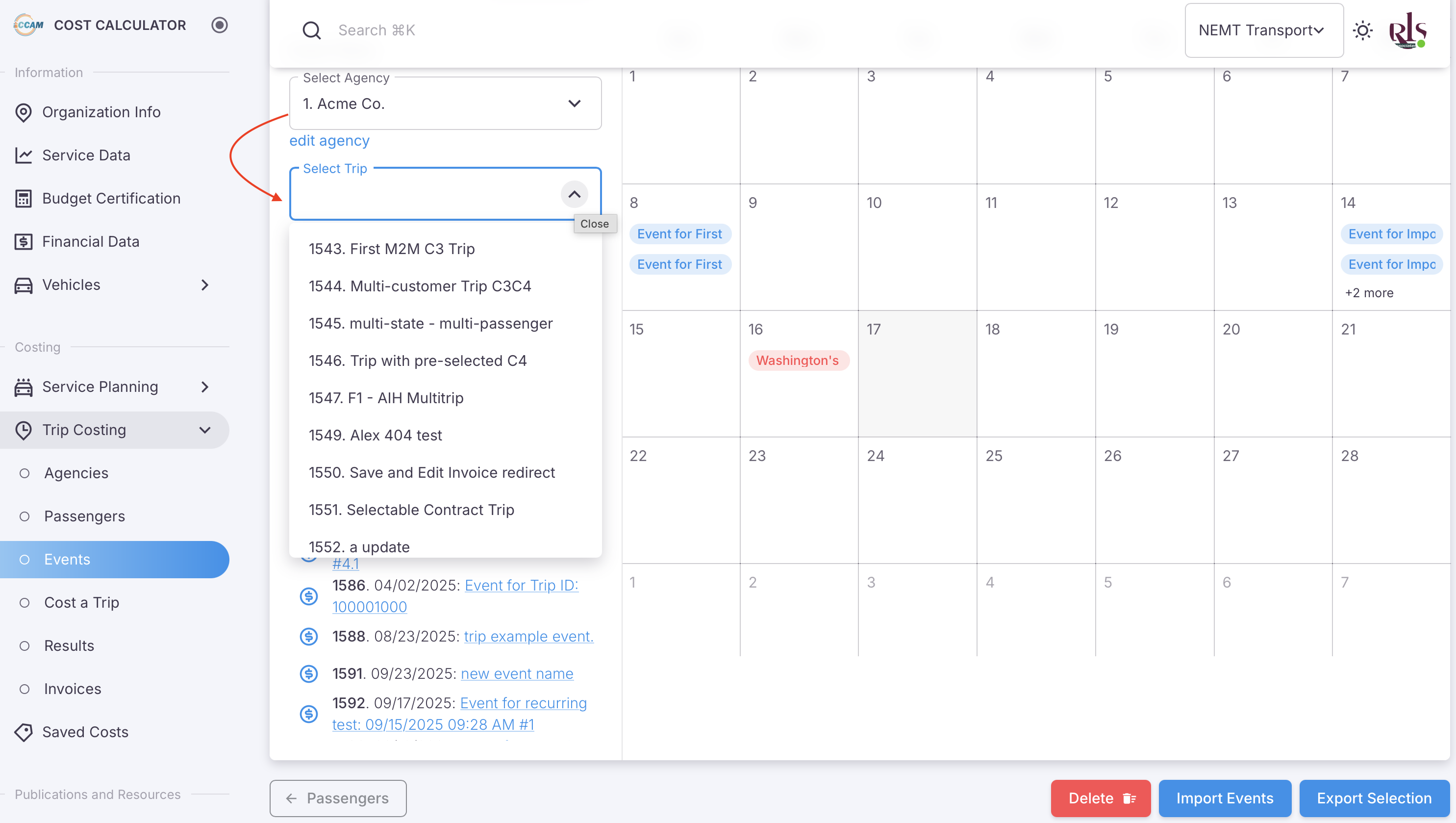
Trip data can currently be filtered by three categories from the events screen;
- Agencies
- Trips
- (Coming in the next release) Passengers
Applying Filter
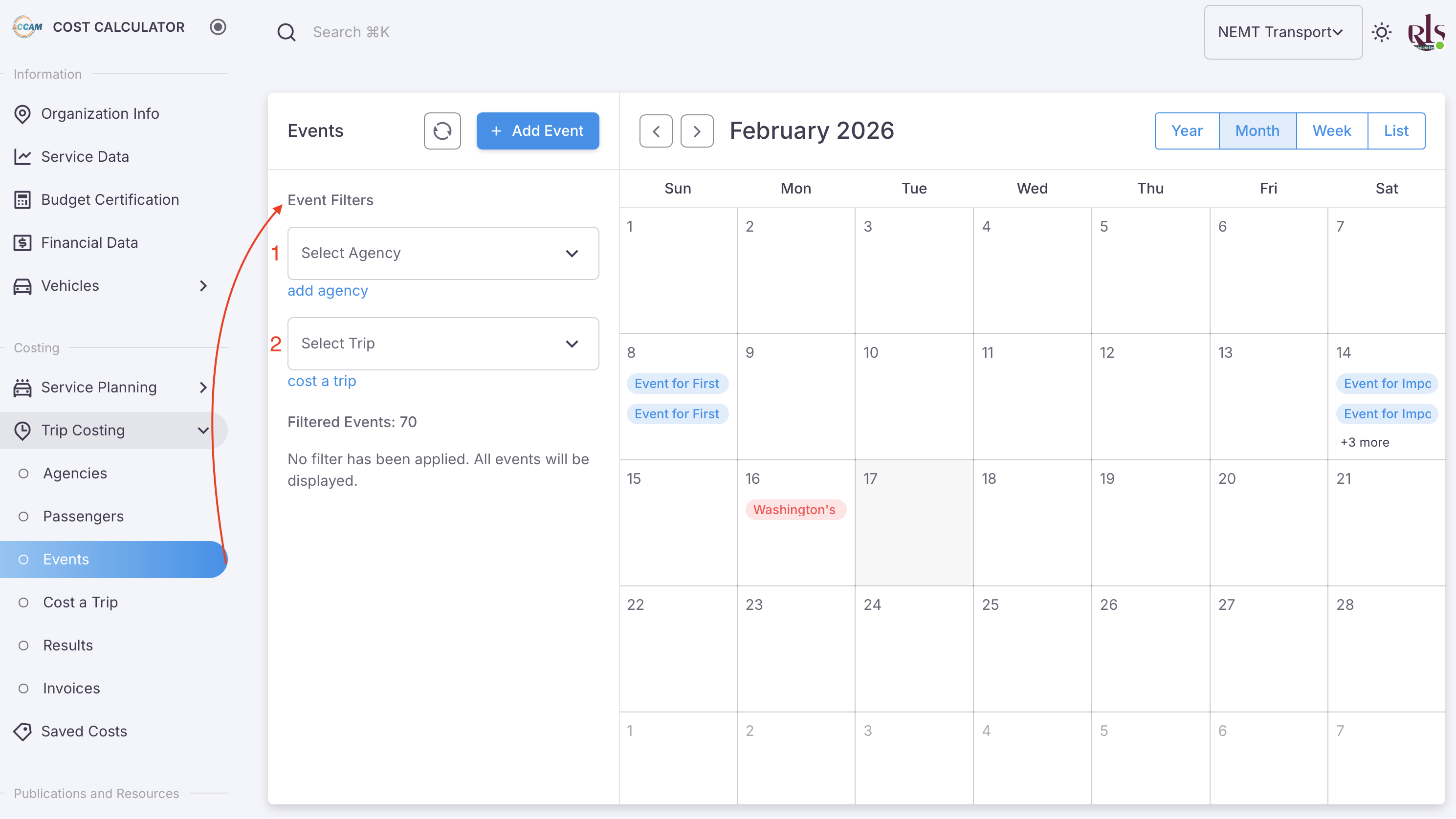
As shown in the image above, you can select either Agency or Select Trip as your starting point. By selecting Agency for example; all trips related to that Agency will be filtered which can then be exported.
Filter by Agency
As shown in the image below, selecting Acme Co. will filter all events related to Acme Co. and then display the related trips under that Agency.
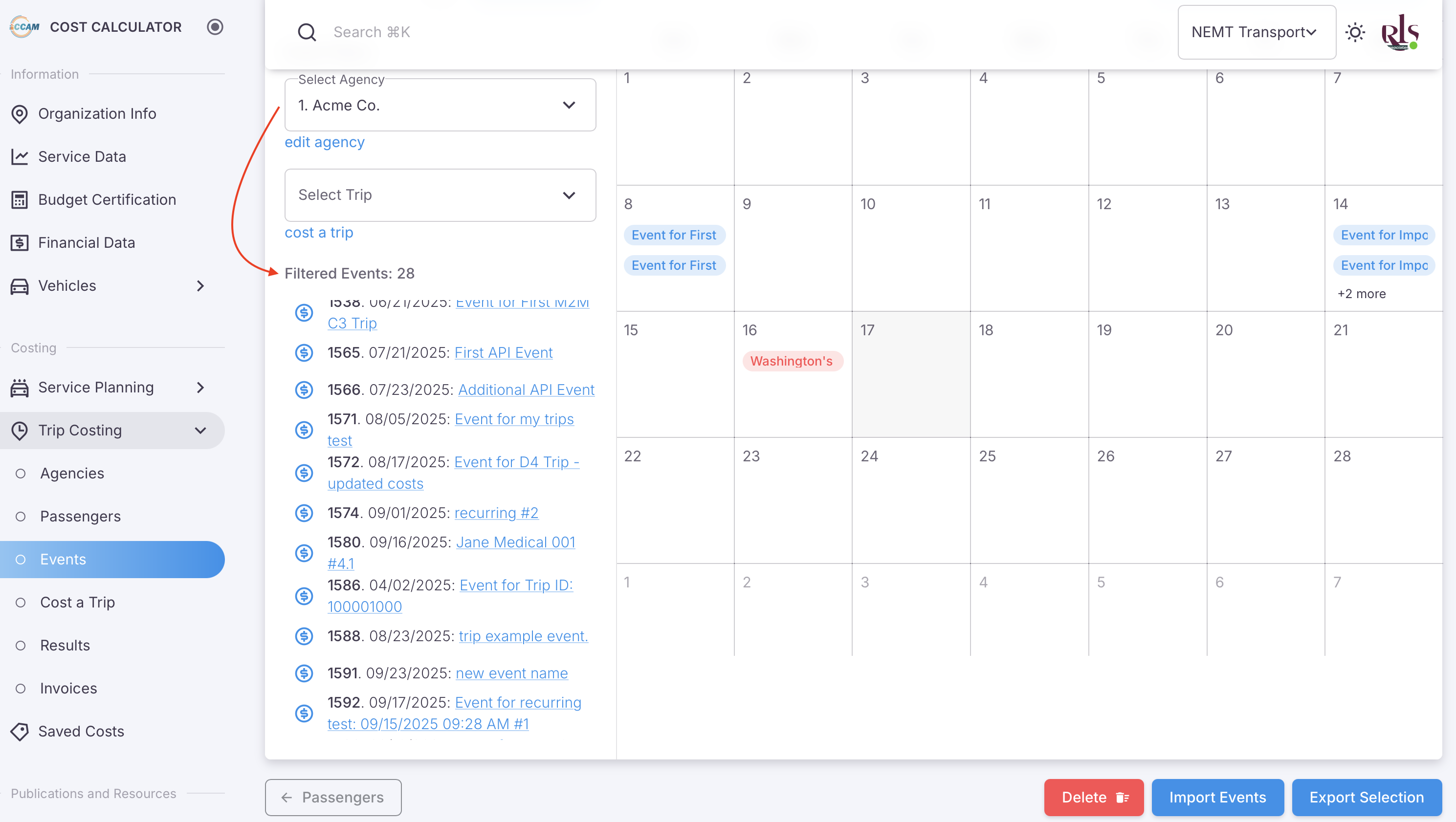
Once you have filtered the data you have a variety of options at your disposal.
- View passengers associated with trips to that Agency or Trip
- Export all trip data related to that Agency or Trip
- View and edit individual trips related to that Agency or Trip
View Passengers